Code-first Unity scenes · for the AI era

AI can’t speak
Unity Editor.

Collaborate with AI to build your scenes in code, the language it’s actually fluent in. The AI works in code, you work in the editor, and two-way sync keeps both in agreement.

Free 14-day trial · $15 for 3 machines
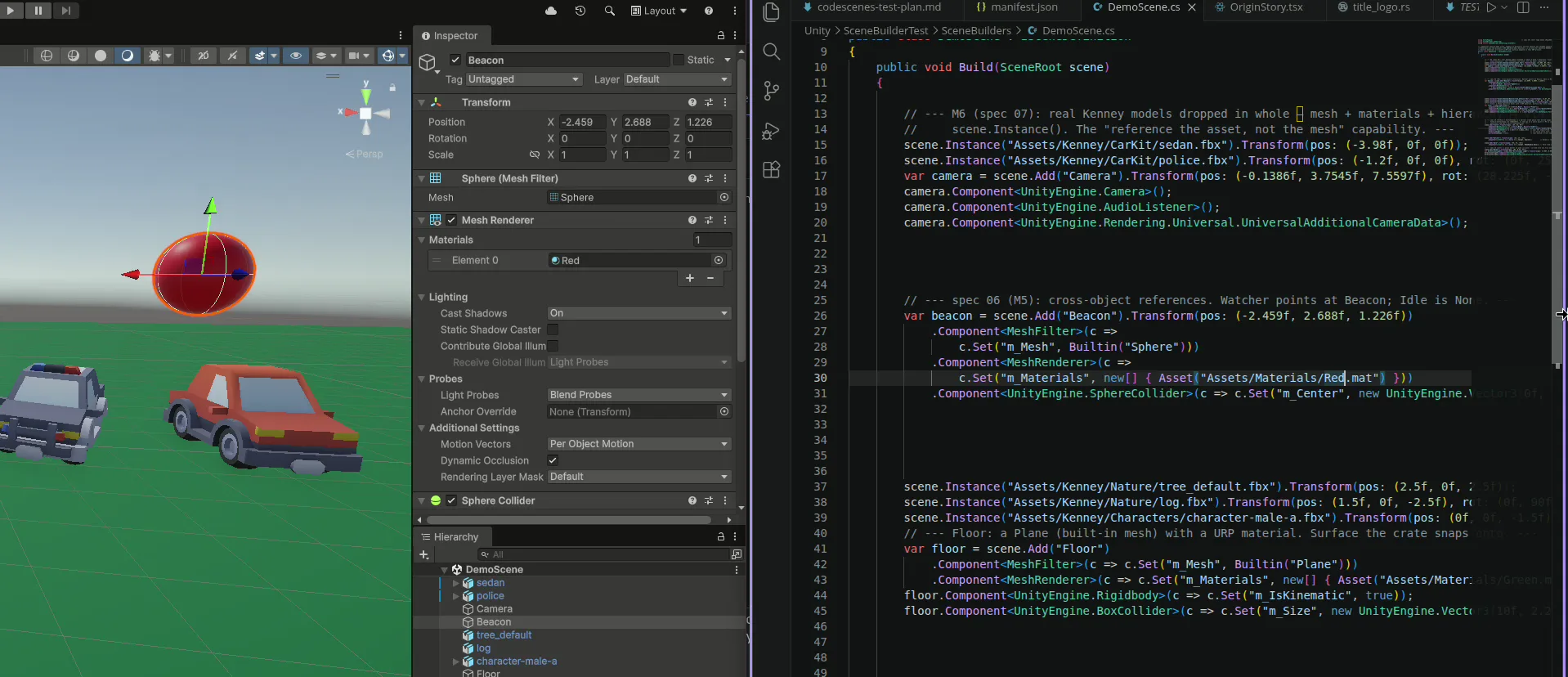
CodeScenes keeping a C# scene builder and the Unity Editor in two-way sync
Your scene, as code

The whole scene fits in one file.

Not a wall of YAML. A flat, readable C# builder your AI can generate, validate, refactor, and sanity-check in one pass. A real compiler guarantees it’s a valid scene, and you can diff, review, and merge it like any other code.

MainMenu.csC#
public class MainMenu : ISceneDefinition
{
    public void Build(SceneRoot scene)
    {
        var player = scene.Add("Player").Transform(pos: (0, 1, 0));
        player.Component<Rigidbody>(rb => rb.Set(r => r.mass, 5f));

        var door = scene.Add("Door").Transform(pos: (4, 0, 0));
        scene.Add("OpenButton")
             .Component<Button>(b => b.OnClick(door, nameof(Door.Open)));
    }
}

Edit either side. Never out of sync.

Drag Player somewhere in the Scene view and save. Your file rewrites itself to match, updating the right line in place.

MainMenu.csC#
player.Transform(pos: (0, 1, 0));
player.Transform(pos: (2.5f, 1, -3));

↳ synced automatically from the editor

  • code → sceneChange the code, the scene updates.
  • scene → codeMove something in the editor, the code updates.
  • in syncEvery object keeps a stable identity, so a rebuild never wipes your scene.
Why code-first

Built for how AI actually works.

The construction is commodity. The value is the durable, living relationship between your code and your scene, and meeting AI in the medium it’s genuinely good at.

True two-way sync

Edit the code or move something in the editor, and the other side updates to match, in place. It never wipes and rebuilds, so you can re-run it endlessly and every reference, prefab link, and object stays intact.

Stable identity across every re-run is the part a one-off build script can’t do. It’s the whole point.

AI's native language is code

LLMs are fluent in symbolic code. Hand the model the whole scene as one readable file it reads and edits in a single pass, not a stream of one-off editor commands.

On spatial-planning benchmarks top models score under 50%, yet ~95–100% on symbolic tasks.[4]

No half-broken scenes

An MCP agent mutates the editor one action at a time and can stall mid-sequence, leaving a scene half-changed. CodeScenes applies a computed plan in place, all at once: it lands cleanly or not at all.

And because your scene is C#, invalid output won’t even compile.

Works with Unity CLI

For human-out-of-the-loop workflows, combine CodeScenes with the Unity CLI to build and test scenes autonomously. Nothing special connects them: the scene is just code, so the CLI drives it like any other project.

Your agent builds and tests it from the command line, then fixes its own scene.[7]

Scenes you can diff & review

Your scene is clean C# in git: real pull-request diffs, line-by-line review, and git blame that means something.

You already know the pain of merging a .unity file. Code diffs like anything else.[1]

Escape the MCP tax

An MCP server holds dozens of tool schemas in context every session and round-trips every edit. CodeScenes puts one thing in context: the scene, as a file.

MCP tool schemas can eat the majority of a context window before you type a word. One measured setup hit 72%.[2]

Code-first vs. editor-driving

Why not just point an MCP at Unity?

Unity MCP servers are a serious, capable way to automate the whole editor. But for authoring scenes, making an AI drive the editor through a stream of granular tool calls fights the model instead of playing to it. We think scenes belong in code.

Unity MCP · editor-driving
CodeScenes · code-first
The interface
The AI drives the editor through dozens of granular tool calls, one action at a time.
The AI edits one readable C# file: the whole scene, in context.
Context cost
~48 tool schemas held in context every session, before any work begins.[6]
Just the scene, as code. Budget goes to reasoning, not tool definitions.
Failure mode
Long tool sequences compound errors. A run can stall half-way, mid-mutation.[5]
An edit compiles atomically. It either applies cleanly or it doesn't. No half-built scene.
Version control
Still wrangling .unity YAML merges by hand. You know the headache.[1]
Real git diffs, pull-request review, and blame on your scene.
What AI is good at
Reasoning about a 3D scene through text, the regime LLMs are weakest in.
Reading and writing symbolic code with explicit coordinates, right where they're strongest.
Sync back
One-way and imperative: the scene is the sum of whatever mutations ran.
Automatic two-way: editor edits flow back into the code, invisibly.
Context and reliability figures are general findings about MCP tool bloat and computer-use agents, not measurements of any specific Unity product. Comparison reflects our own view. See sources.

Help & contact

Questions? Come say hi.

CodeScenes is early and I’d love your input on what to build. Reach out. I read everything.

Sources
  1. [1]Unity Discussions: scene/prefab YAML “cannot be merged reliably”; advice is never to merge them. discussions.unity.com
  2. [2]Unblocked, “MCP Tool Overload”: a measured 3-server setup consumed 143K of 200K tokens (72%) on tool schemas before any input (general MCP, not Unity-specific). getunblocked.com
  3. [3]MCP spec discussion #2812: per-tool schema overhead (~300–1,000 tokens/tool, paid per session). github.com
  4. [4]PlanQA (arXiv 2507.07644): LLM geometric-planning/constraint accuracy < 50% across models, vs ~95–100% on symbolic/metric tasks. arxiv.org
  5. [5]The State of Computer-Use Agents (OSWorld / OSWorld 2.0): ~85% on single operations but ~21% on long multi-step workflows (general computer-use). medium.com
  6. [6]MCP-for-Unity (CoplayDev) docs: advertises “48 tools across 10 groups” exposed to the model. coplaydev.github.io
  7. [7]Unity CLI docs: a command-line tool (beta) to install editors, open projects, and run builds and tests from the terminal. docs.unity.com